Xolodrilo started as a small educational game request and became a way to test how far I could push AI-assisted design without lowering the craft bar.
The goal was to create a playable 2D platformer with a Mexican cultural and environmental theme. It needed to work in a classroom context, run on different devices and feel finished enough to be presented publicly.
I designed and built the full product in six weeks: characters, visual system, mechanics, sound, responsive experience and deployment. AI tools helped accelerate production, but I directed, edited and refined every important output.
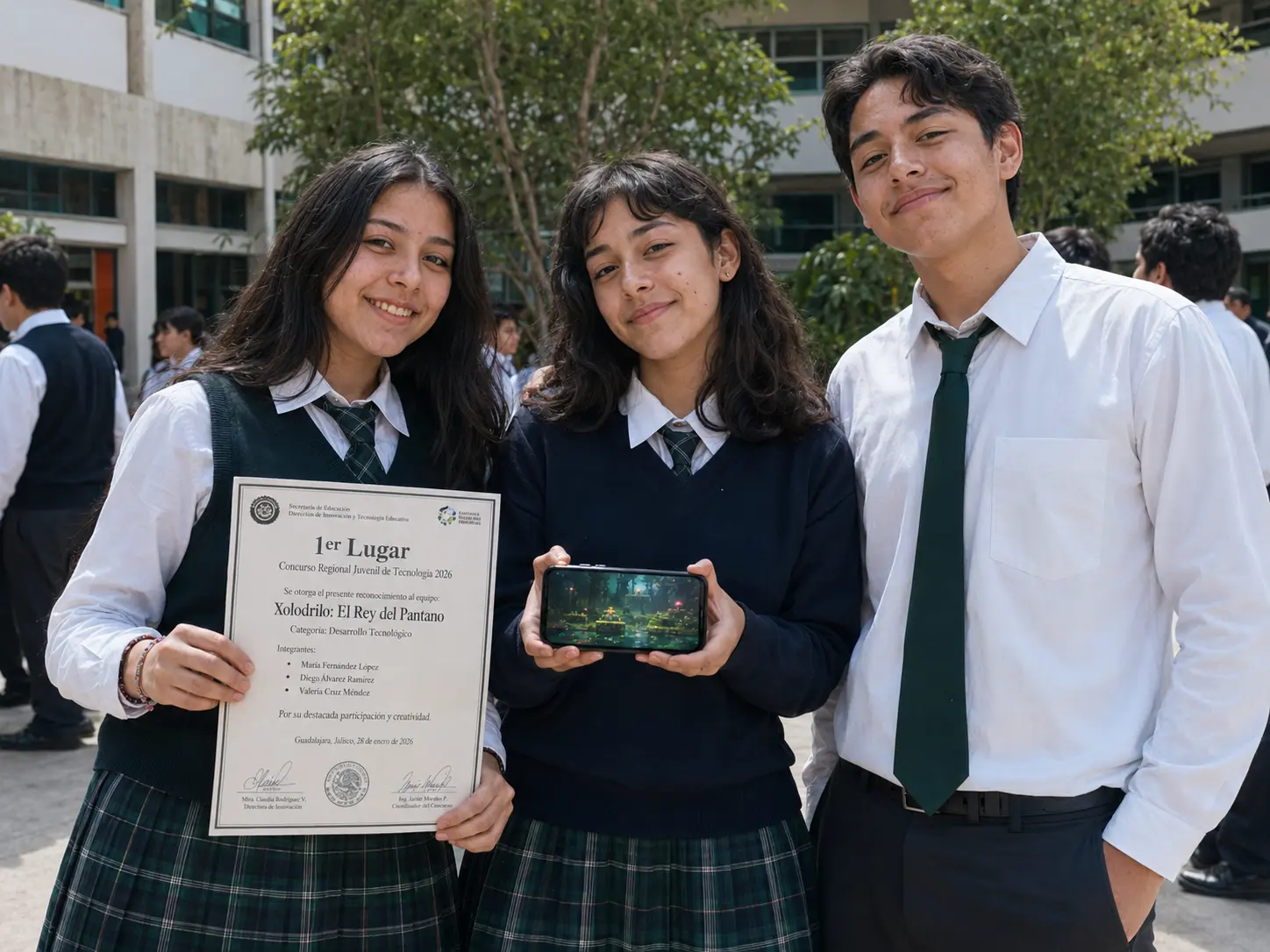
The result was a playable game for web, mobile and Smart TV. It won a regional school prize and later became an example used in high schools to show how AI can support creative production.
The initial ask was simple: create an educational game for a school project. It needed to connect with Mexican culture, include an environmental awareness message and be playable in a classroom setting. I could have delivered a basic prototype. Instead, I used it as a personal lab.
At the time, I was already thinking a lot about AI in product design. In enterprise work, AI usually appears as a feature inside the experience: a recommendation engine, a chatbot, a validation layer. Here, I wanted to explore something different: AI as part of the production process itself.
The question was practical: can AI help create a real, playable product faster while still keeping taste, direction and quality under human control?
I worked as designer, AI director and developer simultaneously. That meant I was responsible for defining the concept, characters and visual direction; designing the game mechanics and overall UX; directing AI-generated assets and deciding what was usable, what needed editing and what should be discarded; and refining sprites, backgrounds and visual details manually.
I also built the game with React, Phaser and TypeScript through vibe coding, solved cross-platform behavior for desktop, mobile and Smart TV, created audio direction with sound effects and music loops, and deployed and tested the final experience.
AI helped with speed. I stayed responsible for every decision.
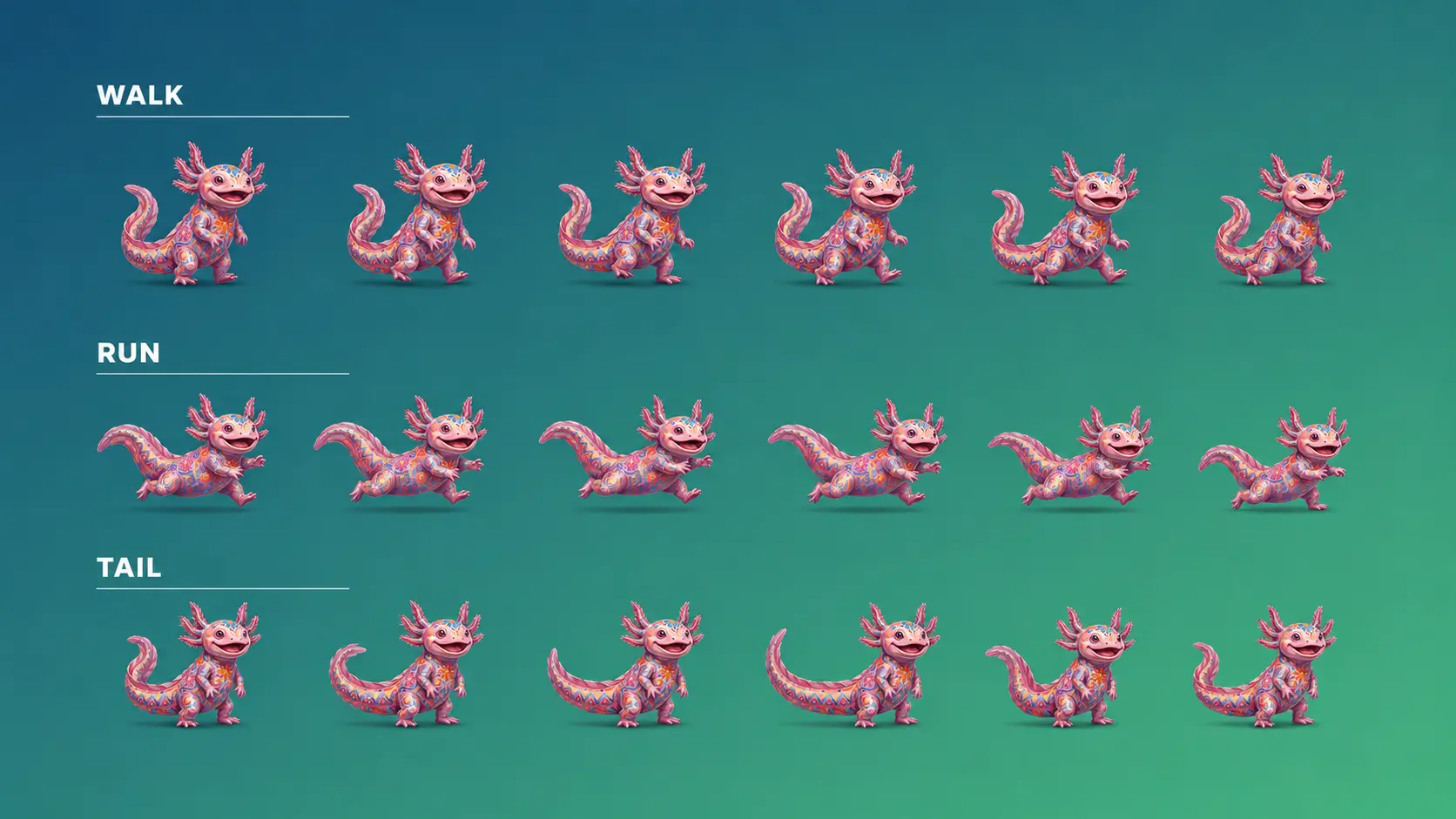
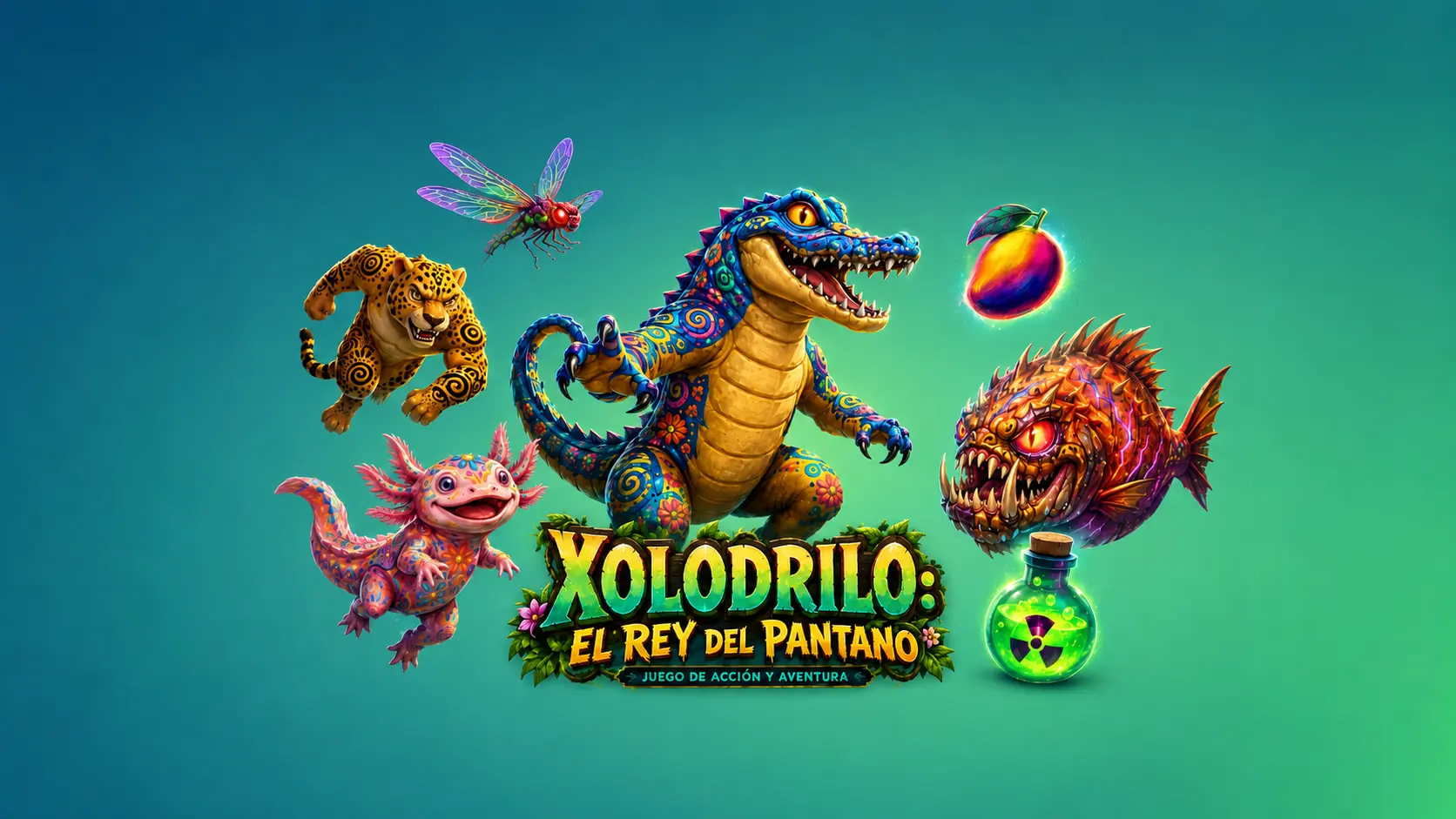
The game needed original characters with a Mexican fauna base and a contamination-inspired mutant layer. Three characters shipped: Xolodrilo, a mutant crocodile with an explorer hat and bright green tone; Balam, a jaguar with radiation-like markings and a more agile personality; and Lolita, a pink axolotl with luminous gills, which quickly became the favorite. Each needed animation states, consistent proportions, readable silhouettes and enough personality to feel alive on screen.
AI can produce visually impressive images quickly, but consistency is harder. A character can change proportions between frames. Edges can look different. Lighting can shift. The work was less about generating a good image and more about building a reliable visual system from imperfect outputs.
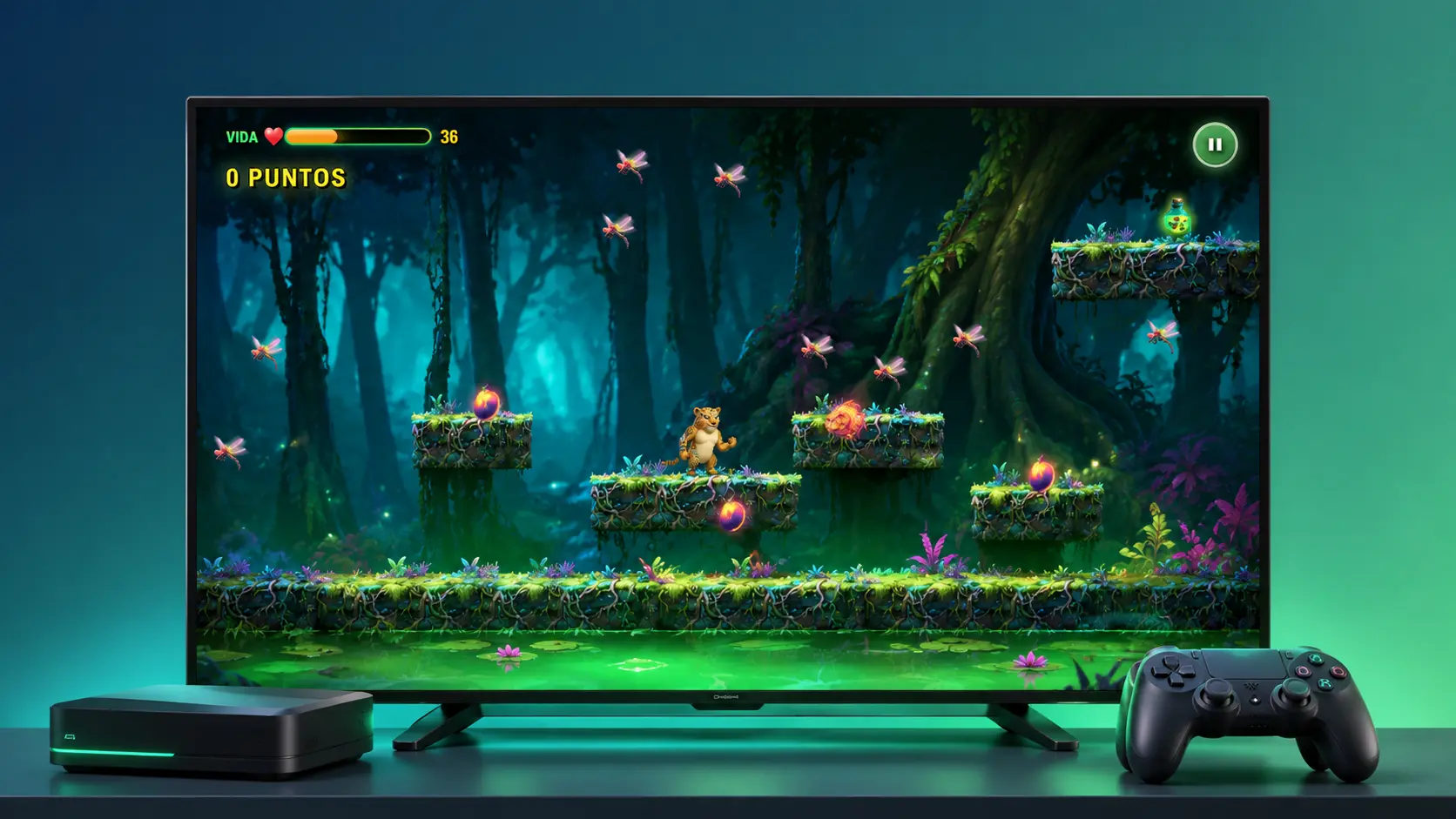
The game had to work on desktop, mobile and Smart TV simultaneously. Mobile required touch controls and clear hit areas. Desktop needed keyboard input. TV was the hardest: Smart TV browsers and remote controls do not behave as predictably as standard web environments. I created an input manager that detected the context and adapted controls accordingly.
For visual assets, I used AI tools to generate the first layer of characters, movements, backgrounds and textures. The useful part was the speed of exploration: testing several directions quickly, comparing results and deciding what had enough potential to refine. But I did not use the outputs as-is. Every character required manual work: cleaning edges, adjusting proportions, correcting frames, building spritesheets. Around 30–40% of each final sprite needed hands-on refinement. That was the difference between "this looks AI-generated" and "this feels like part of the same game."
For audio, I used AI-generated music for the first pass, then edited timing, loops, levels and effects manually. A loop can sound good in isolation and still feel wrong during gameplay if the pacing does not match the movement.
The game was built through vibe coding with React, Phaser and TypeScript. The structure included scenes for menu, character selection, gameplay, pause, game over and credits, plus systems for player movement, enemies, collectibles, scoring, responsive controls and an offline localStorage fallback for when the backend is unavailable. Vibe coding helped move faster, but it did not remove the need to understand what the system was doing.
AI as production layer, not creative authority. The most important decision was to use AI for acceleration, not for final judgment. AI generated options, but I decided the direction. AI created rough material, but I edited the final asset. AI helped write code, but I kept control over structure and behavior. The project needed to feel designed, not assembled from prompts.
Polish over speed alone. I could have shipped faster by accepting more raw AI output. I chose to refine because the goal was not to prove that AI can generate assets. It was to create something that worked as a product. Craft is what makes AI-assisted work credible.
Multi-platform from the beginning. Building for Smart TV added complexity, but it matched the real context where the game would be shown. If the classroom used a projector or TV, the product had to work there. A product is only successful if it works in the place where people actually use it.
Resilience as part of the UX. The game included a leaderboard, but I added a localStorage fallback so the experience would not break if the backend failed. That decision came from the same product mindset I use in larger digital projects: assume things can fail, then design the experience so the user is not punished for it.
The project went beyond the original school assignment. Built in six weeks, it shipped with 47 sprites, 18 audio files and 12 backgrounds, totaling around 8,500 lines of TypeScript across a React and Phaser codebase. It runs on web, mobile and Smart TV. It won a regional school prize and was later used as an example in high schools to explain AI-assisted creative production.
More importantly, it produced a concrete and playable demonstration of how I think about AI in design work. The game is live at elreydelpantano.figma.site and the source is open at github.com/josuebravodi/xolodrilo-game.
This project made my position on AI much clearer. The interesting question is not whether AI can replace creative work. The better question is how much more a designer can produce when AI becomes part of the studio, with the designer keeping the criteria, direction and responsibility.
AI was useful for speed, exploration and production. The most human work was still judgment: deciding what was good, what was inconsistent, what needed more polish and what would actually work for the user. That part does not get compressed.
It also reminded me that systems thinking matters even in a playful project. The hardest parts were not the individual images or sounds. The hardest parts were making everything work together across devices, states, inputs and failure scenarios. That is where design stops being just output and becomes product thinking.
Capabilities
Project
Xolodrilo: designing a game with AI.
Industry
Side Project / Lab
Year
2025
Role
Designer & AI Director
Status
Public